
SETTING
Privacy Policy
Informativa sui Cookie
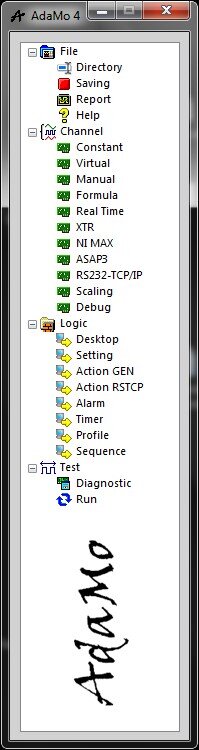
Selecting "Setting" enters the sub-environment in which it is possible to specify various critical configurations for the activities in "Run".
Details are shown on the following paragraphs.
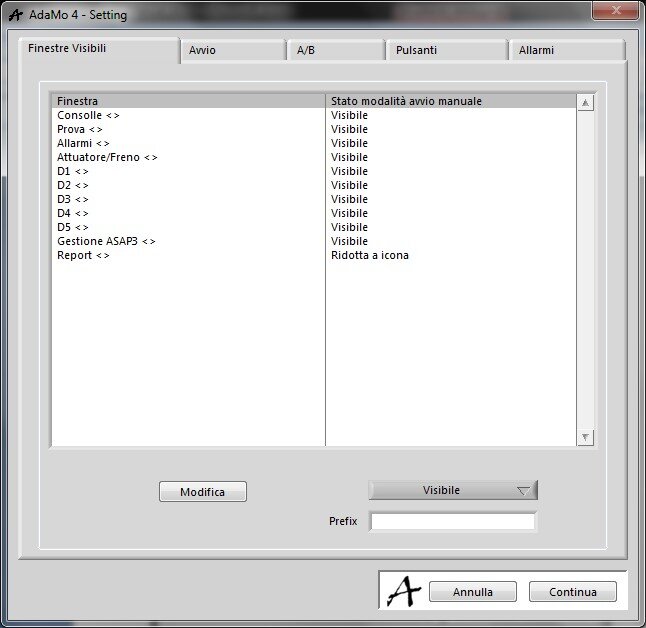
In this image you can see the area in which you decide how to open the various windows at the entrance to "Run".
Using the "ESC" text of the keyboard it is possible to hide and show the editor tool.
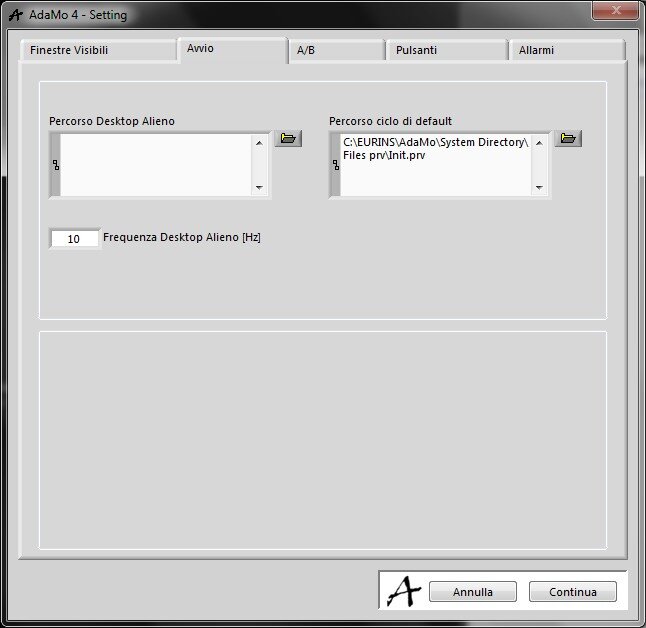
In this image we can see the area in which you can decide the possible automatisms to trigger at the entrance in "Run":
- it’s possible to execute a Sequence ("Cycle") by default, useful for making initializations
- it’s possible to execute a possible Alien Desktop (advanced function)
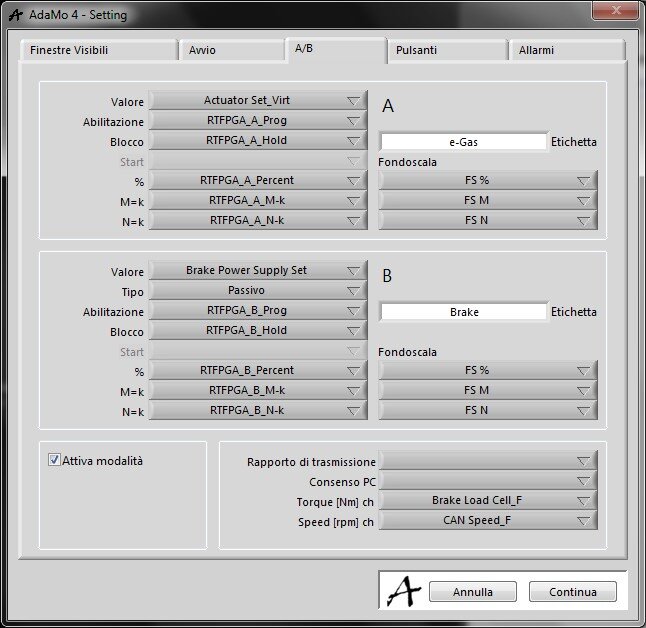
In this image we can see the area where to set the channels necessary for the integrated management of a brake ("B") and of an actuator/accelerator ("A") typically into an engine test bench.
These channels assume a particularly strategic role in "Run" because they have intrinsic functionality typical of the engine controls, i.e. modes (percentage, constant torque, constant speed), full scale, the possible allocation of PID logics with predictor (
advanced
function
)
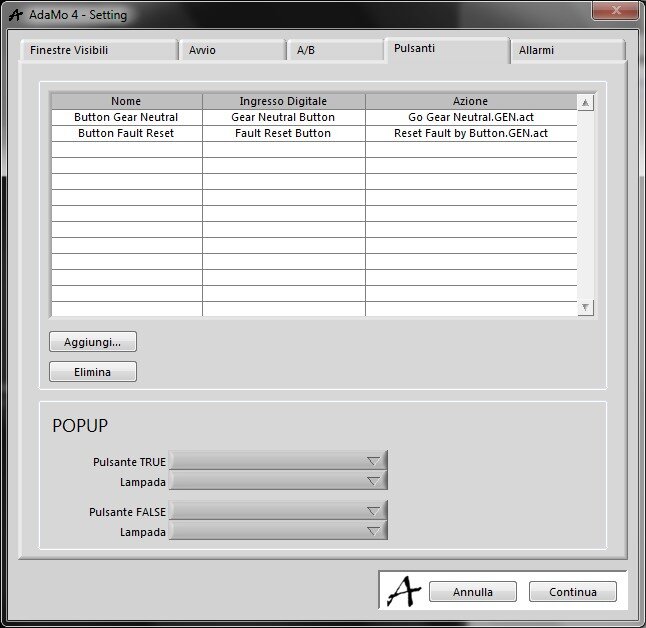
In this image we see the area where to combine Actions ("GEN") to "DI" ("Digital Input") input channels, typically to trigger Actions when a hardware button is pressed in a completely analogous way to what has already been said for the software buttons available in Native Desktop (and therefore with the same absolute priority).
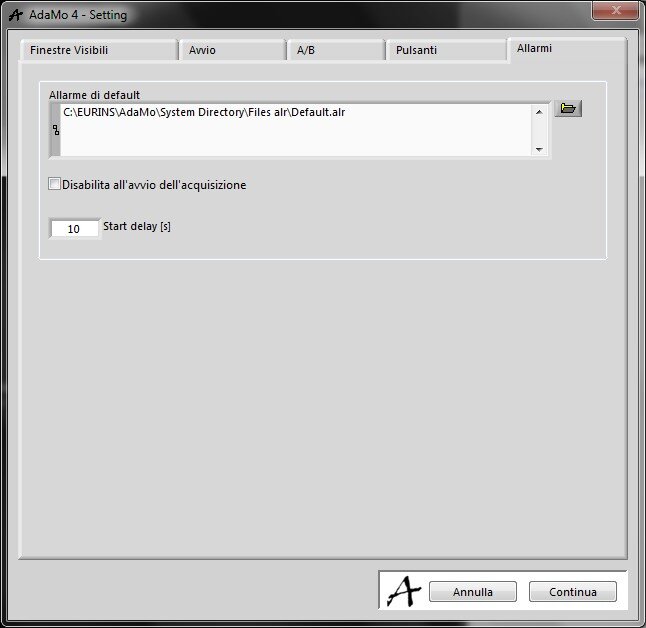
In this image we can see the area where to define the configuration of Alarms to be automatically activated at the entry in "Run", having a possible delay (to manage "settlements" of the channels being acquired).
In "Run" it’s also possible to load other configurations of Alarms that will always be added to the one defined here, meaning that they will eventually update the thresholds, possibly increasing but never decreasing the list of logical channels to be controlled.
To disable the management of the Alarms, both during the entry in "Run" and while you are already in “Run”, you need a specific password in the absence of which the Alarms remain active.
Privacy Policy
Informativa sui Cookie