
FORMULA
Privacy Policy
Informativa sui Cookie
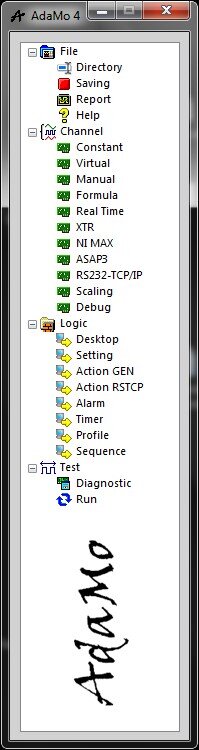
Selecting "Formula" enters the sub-area in which it’s possible to create logical channels based on dynamic and synchronous calculations with the acquired channels.
Typical uses:
- Mathematical calculations by combining dynamic channels, constant channels, constant values, other formulas
- clones of logical channels (for example duplicating them with a different name)
- conditional algorithms (IF THEN ELSE) whose result depends on other channels, from sub calculations, comparisons, from conditions (useful for thresholds of variable alarms based on the state of the other channels)
- control algorithms (PID on base 100 ms) combined with an output channel for it to become a regulator back operable by any other logical channel
- Low Pass Filter (Low Pass digital Butterworth type of second order on the basis of 100 ms) to provide a filtered version of another logical channel
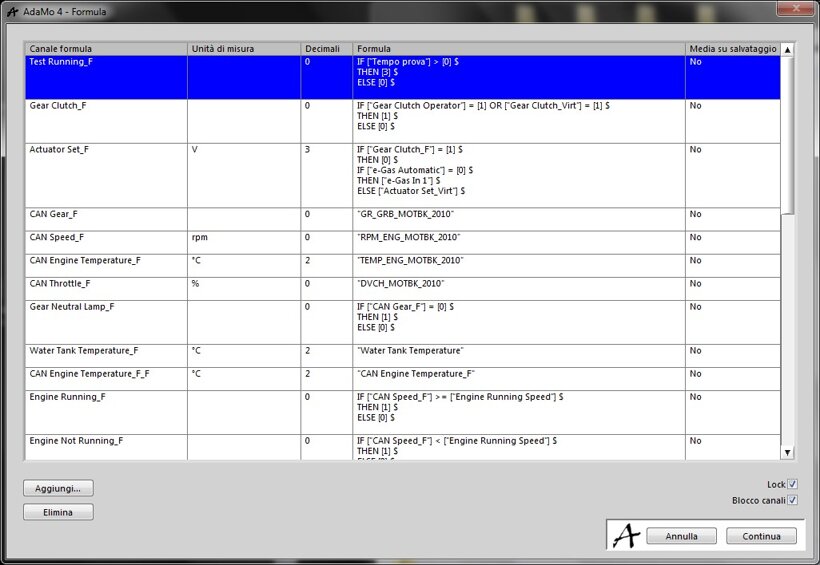
In this image we see the management settings.
The formulas are continually calculated from the first to the last, so to use one formula in another must be defined higher up in the table.
Unless “Channel Lock” is deactivated, logical channels used in the formulas have their names protected from changes in their respective configuration environments.
It’s possible to protect a subset of formulas with a password (unique), meaning those within which the option was chosen; deactivating "Lock" (with password) enables all the formulas.
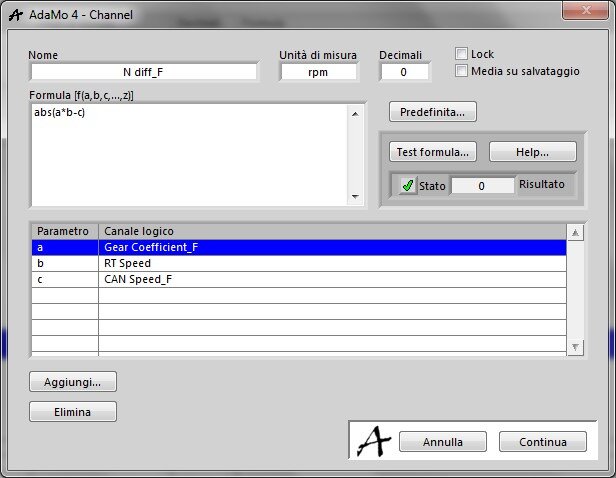
In this picture you can see the details for each channel formula.
The syntax contemplates the use of lowercase letters to which match the appropriate logical channel selected in the sub window shown here:
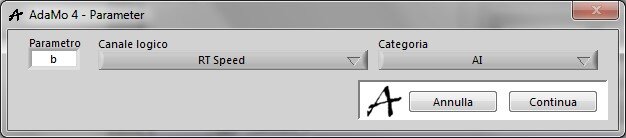
In general, these sub windows have a filter for the logical channels’ category to find the one to select more easily.
Using "Test formula ..." it’s possible to test the calculation by assigning extemporaneous values to the used channels; making this check it’s always advisable because, if the calculation fails, the formula would always result in zero without any warning or other evidence.
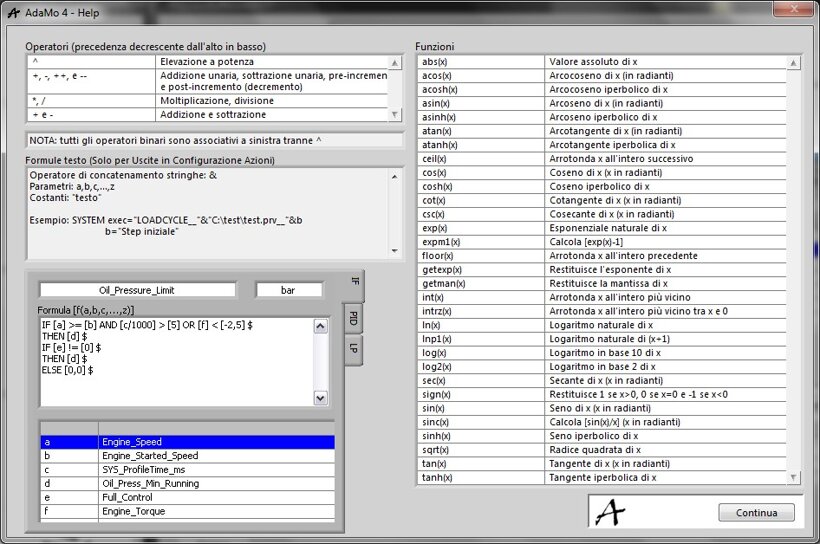
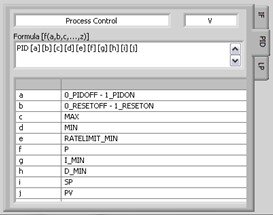
In this and in the following two images, we can see the contents of the "Help" window, i.e. where the usable operators in formulas are summarized.
Here, in particular, is shown the syntax of an "IF THEN ELSE" conditional formula.
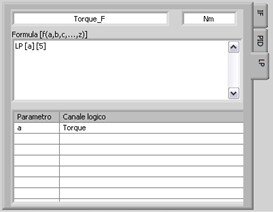
Here is shown the syntax of a “LP filter” formula type.
Here is shown the syntax of a “PID control” formula type.
Privacy Policy
Informativa sui Cookie